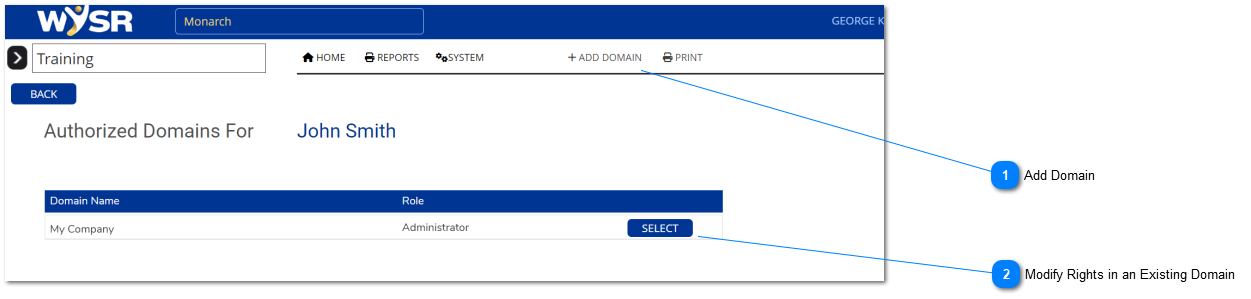
This screen will appear. A list of all the domains the member has access to will appear. The list might be longer for some members than others. If the list is empty, click the ADD DOMAIN button in the menu bar.
NOTE: Members generally must log in to see the effect of rights changes. Rights are read only when a member logs in.
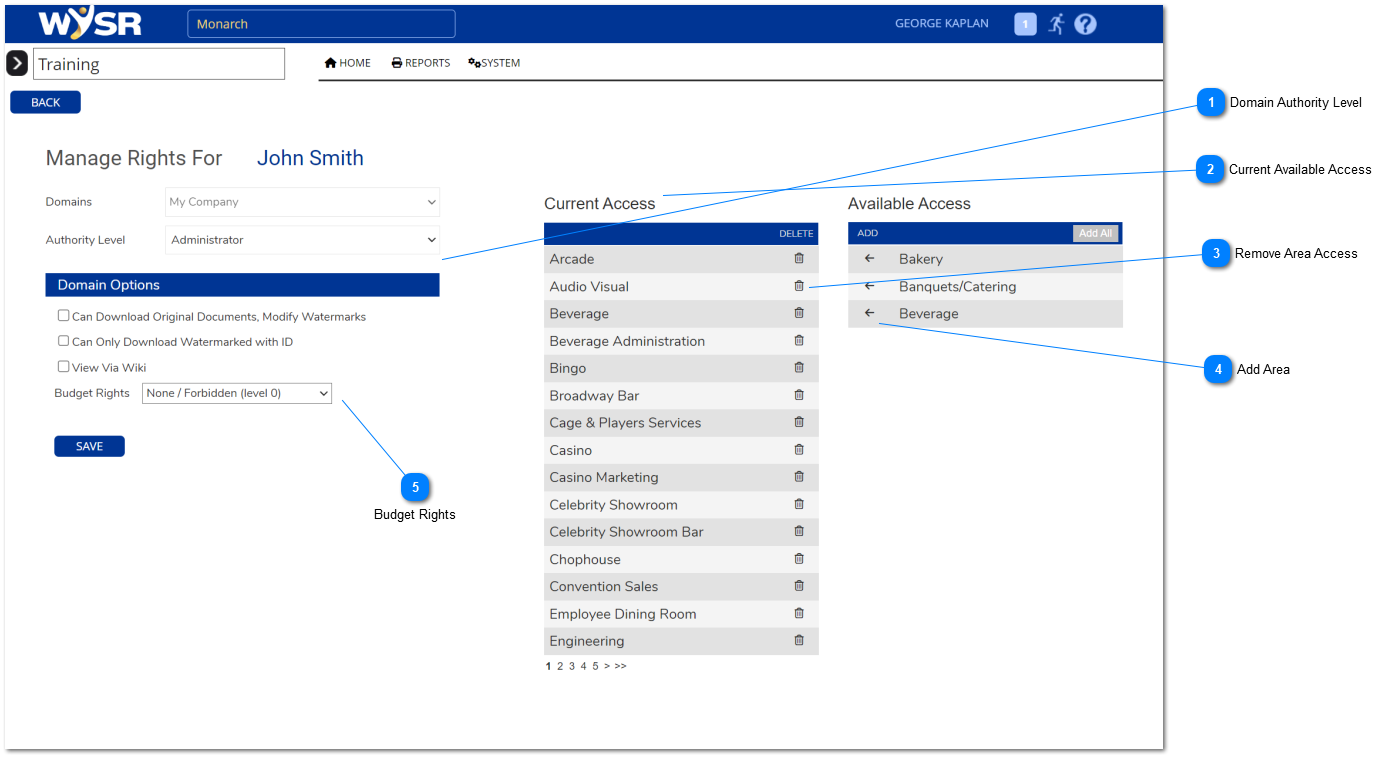
Selecting this will move the area name from the Available Access list to the Current Access list. The member has access to all areas under Current Access
Modifies the member's ability to modify the budget associated with a domain. ** NOTE not all domains have budgets unless defined under the Domain Edit screen.